








MASUMA Anti-Counterfeiting Label User Guide
Welcome to the MASUMA Product Authenticity Verification & Guide Page. This page is designed to help you quickly and accurately verify whether your purchased MASUMA parts are officially genuine using our security labels.
To guarantee product quality and premium after-sales service, we have upgraded to the latest anti-counterfeiting technology. Every genuine MASUMA product now comes with a dedicated security label.
Step-by-Step Guide:
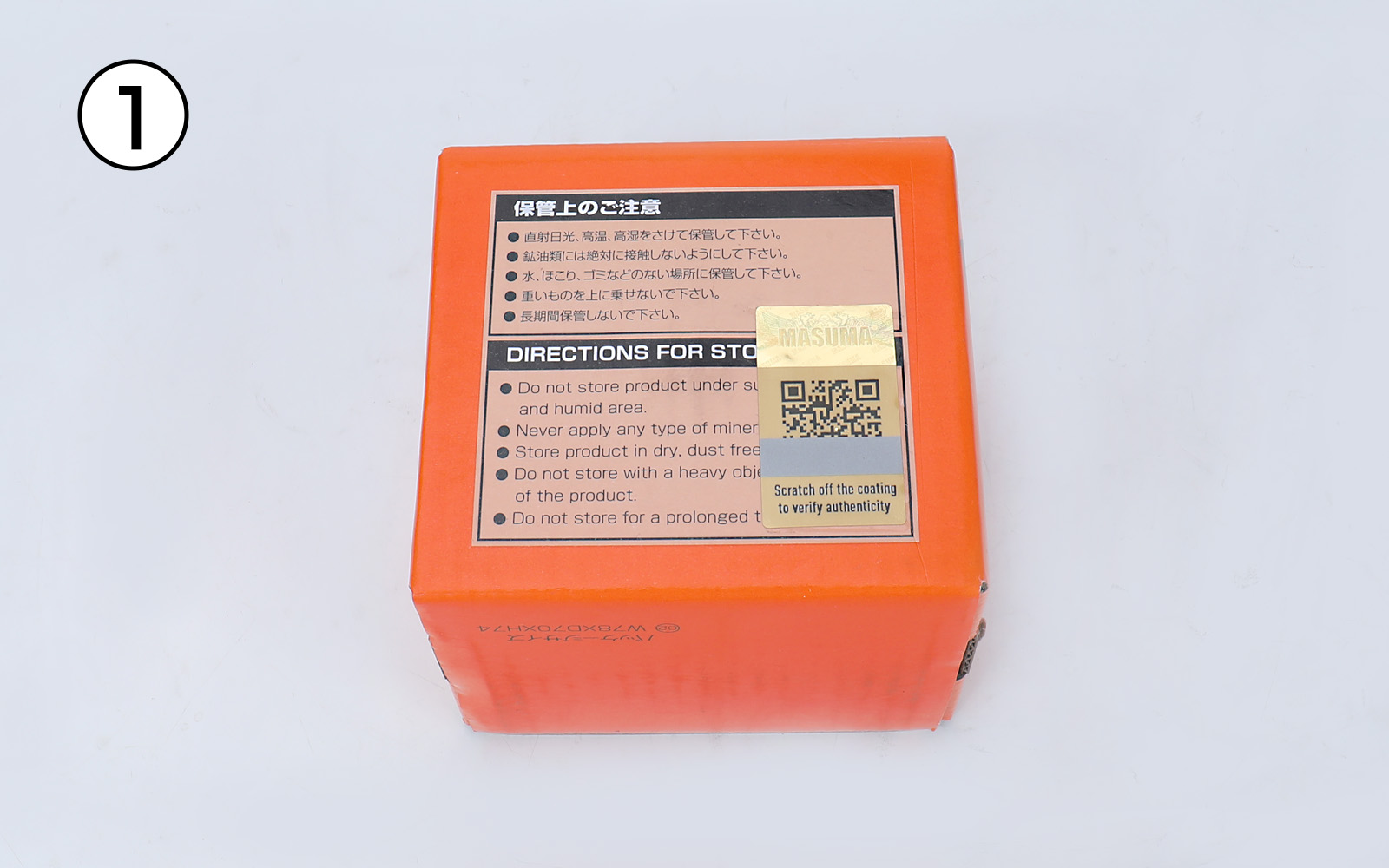
1. Locate the Label
Find the anti-counterfeiting security label on the product.
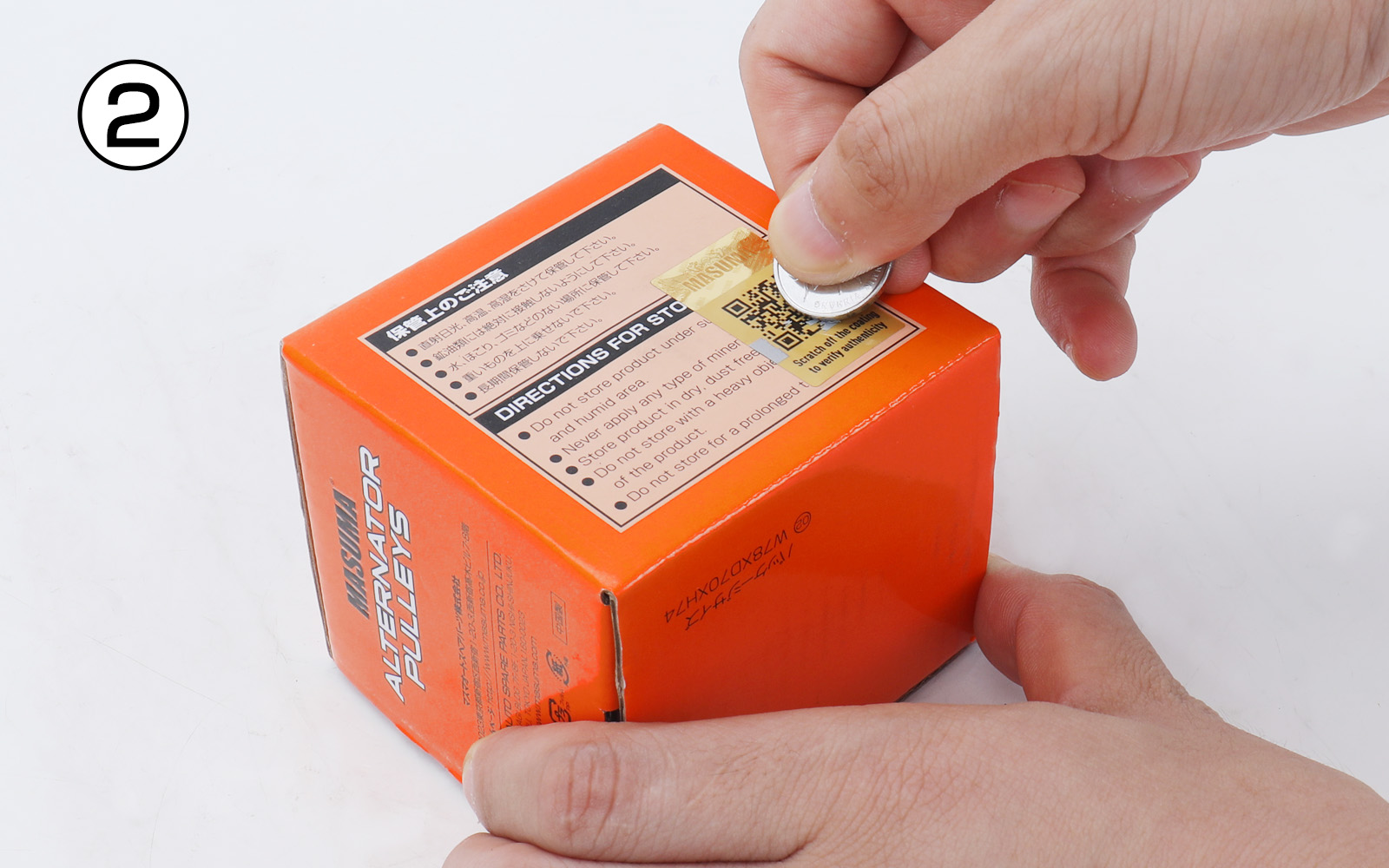
2. Scratch the Coating
Gently scratch off the protective coating on the label.
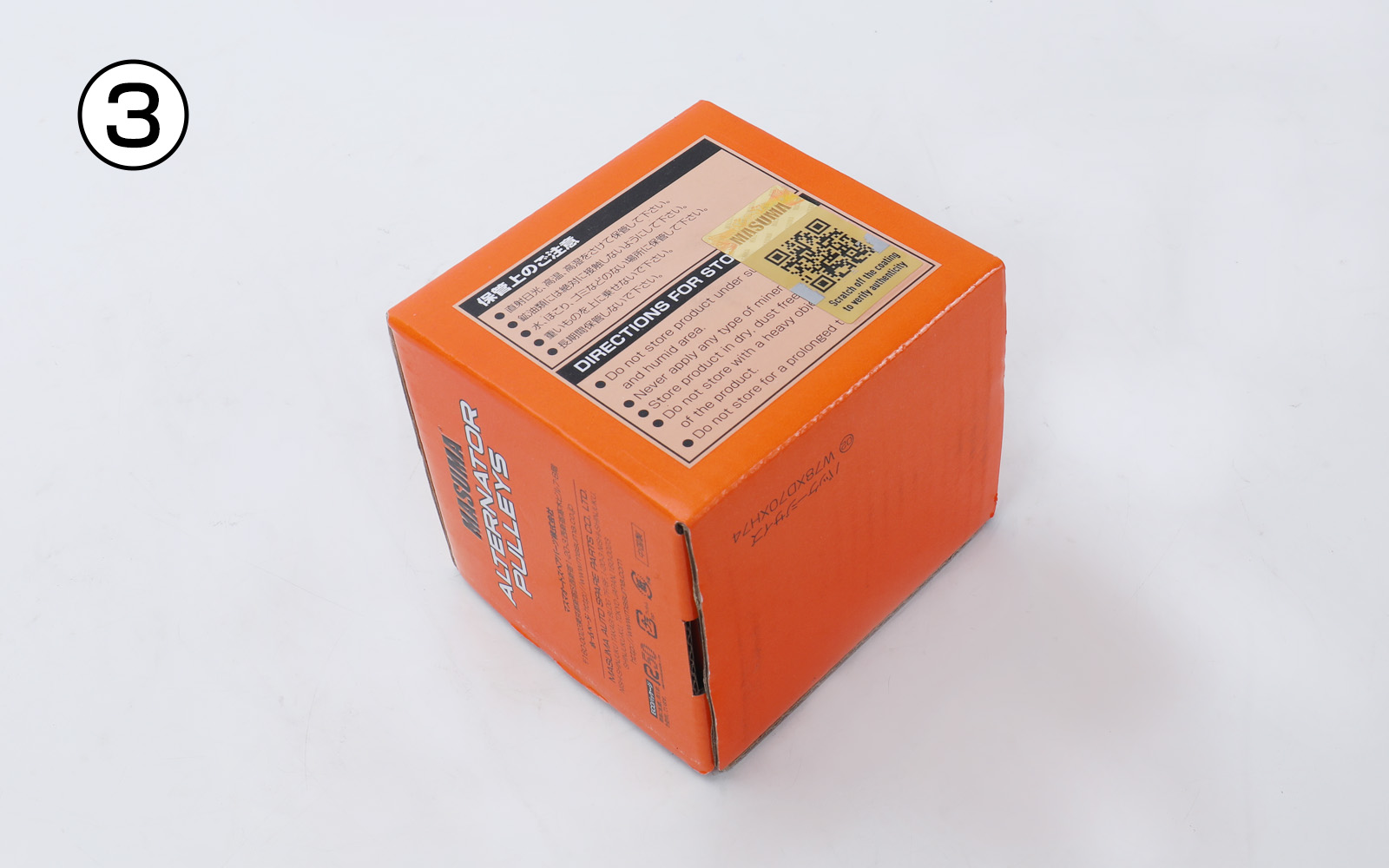
3. Clear the QR Code
Ensure the coating over the QR code is completely and cleanly removed.
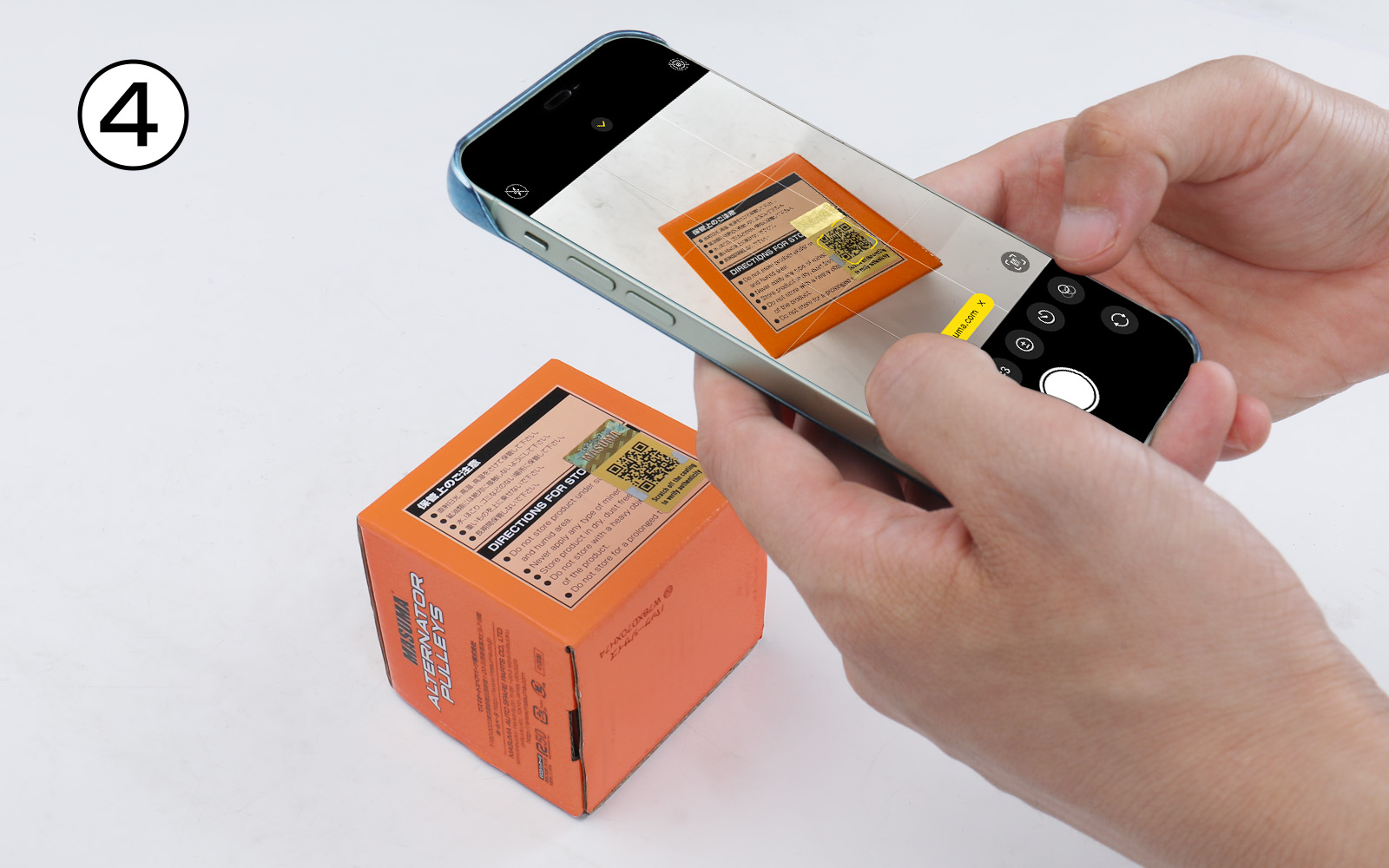
4. Scan & Verify
Use your smartphone apps (Browser, WeChat, Alipay, etc.) to scan the QR code and instantly retrieve the result.
Note: For the best result, please hold your phone steady while scanning.
5. Verification Results
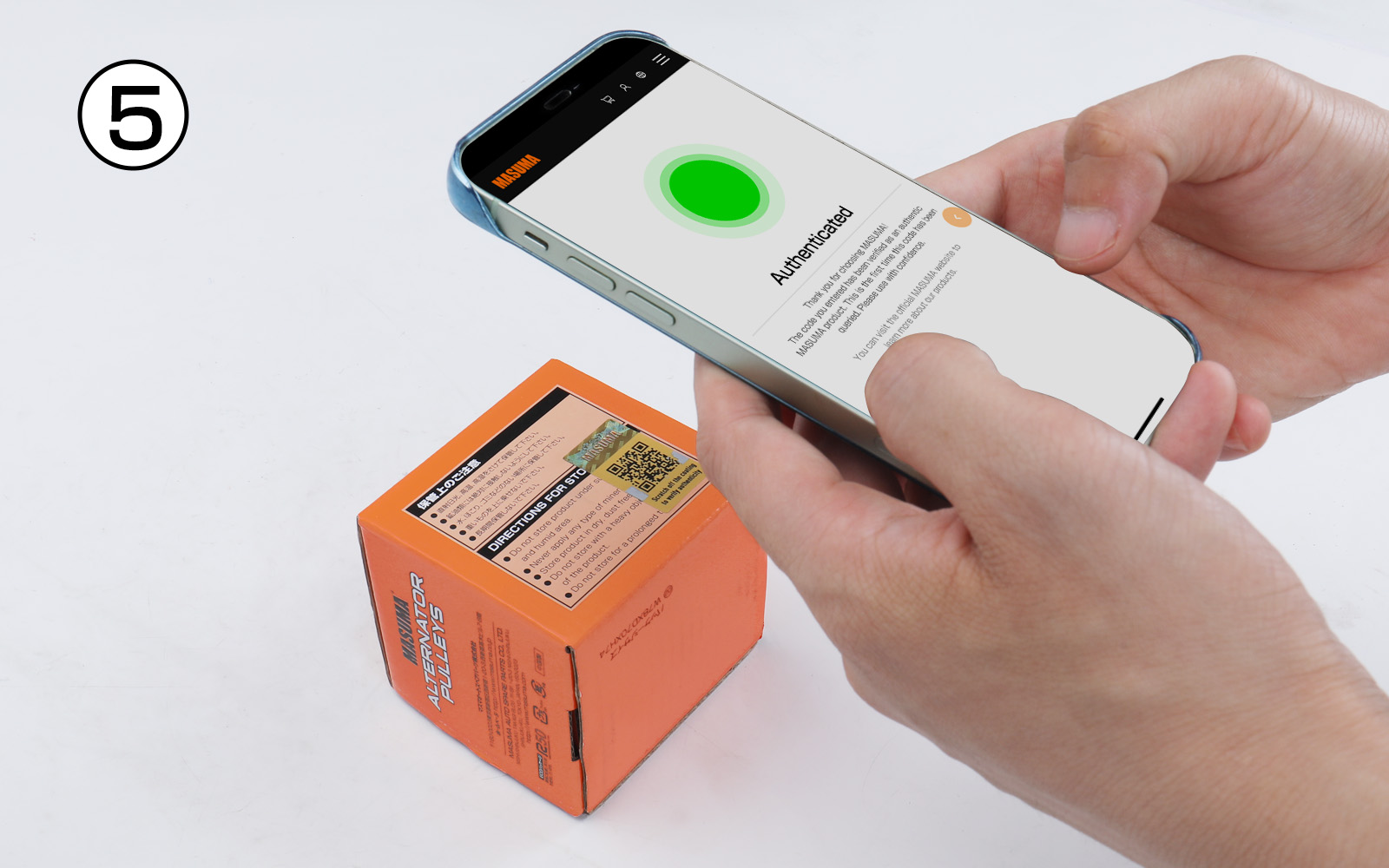
• If the scan result matches the first image above:
The security code has successfully passed verification, confirming the product is 100% genuine. Please use it with complete peace of mind.
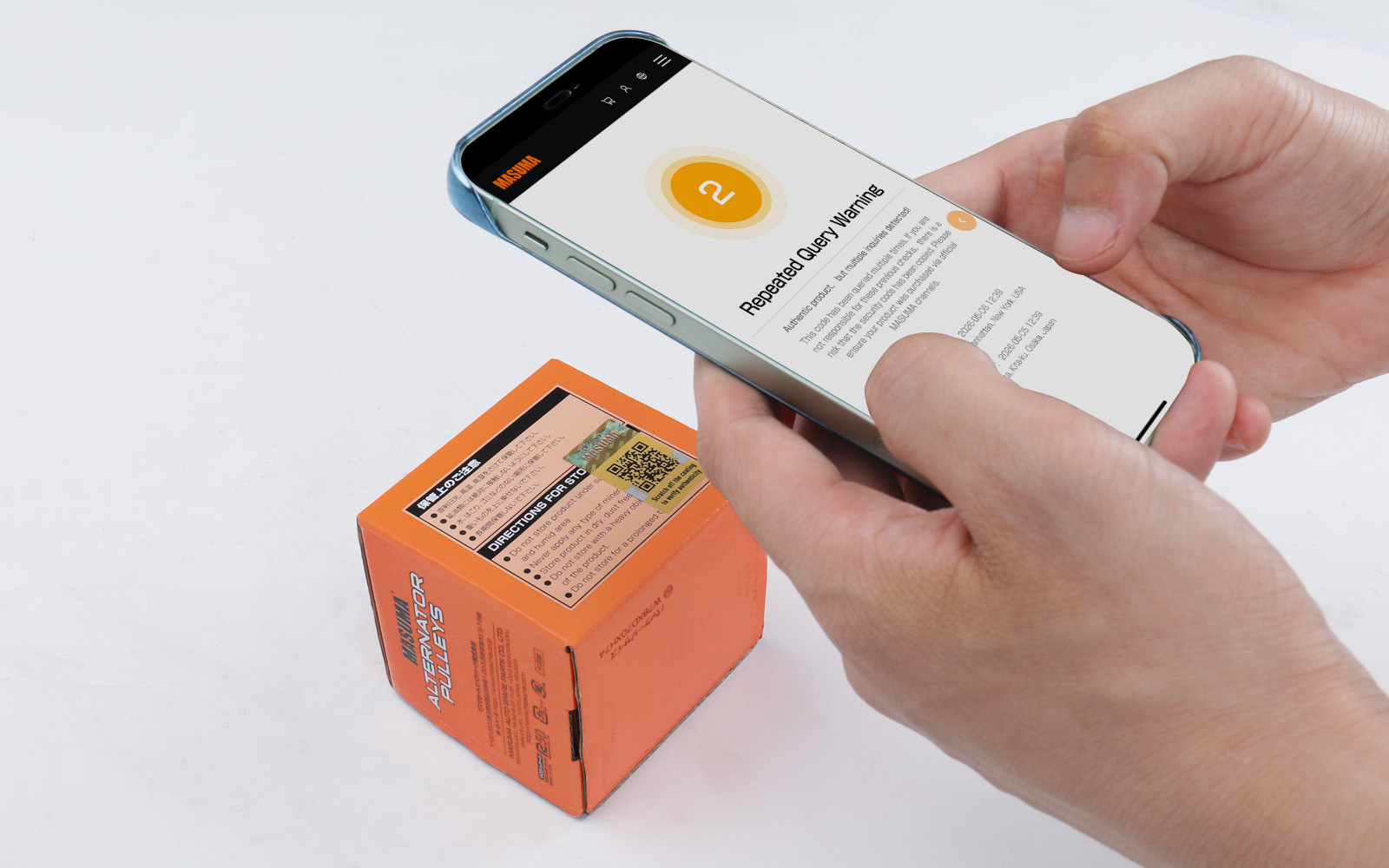
• If the scan result matches the second image above:
This security code has been scanned multiple times. Please verify your purchasing channel carefully to safeguard against counterfeits.
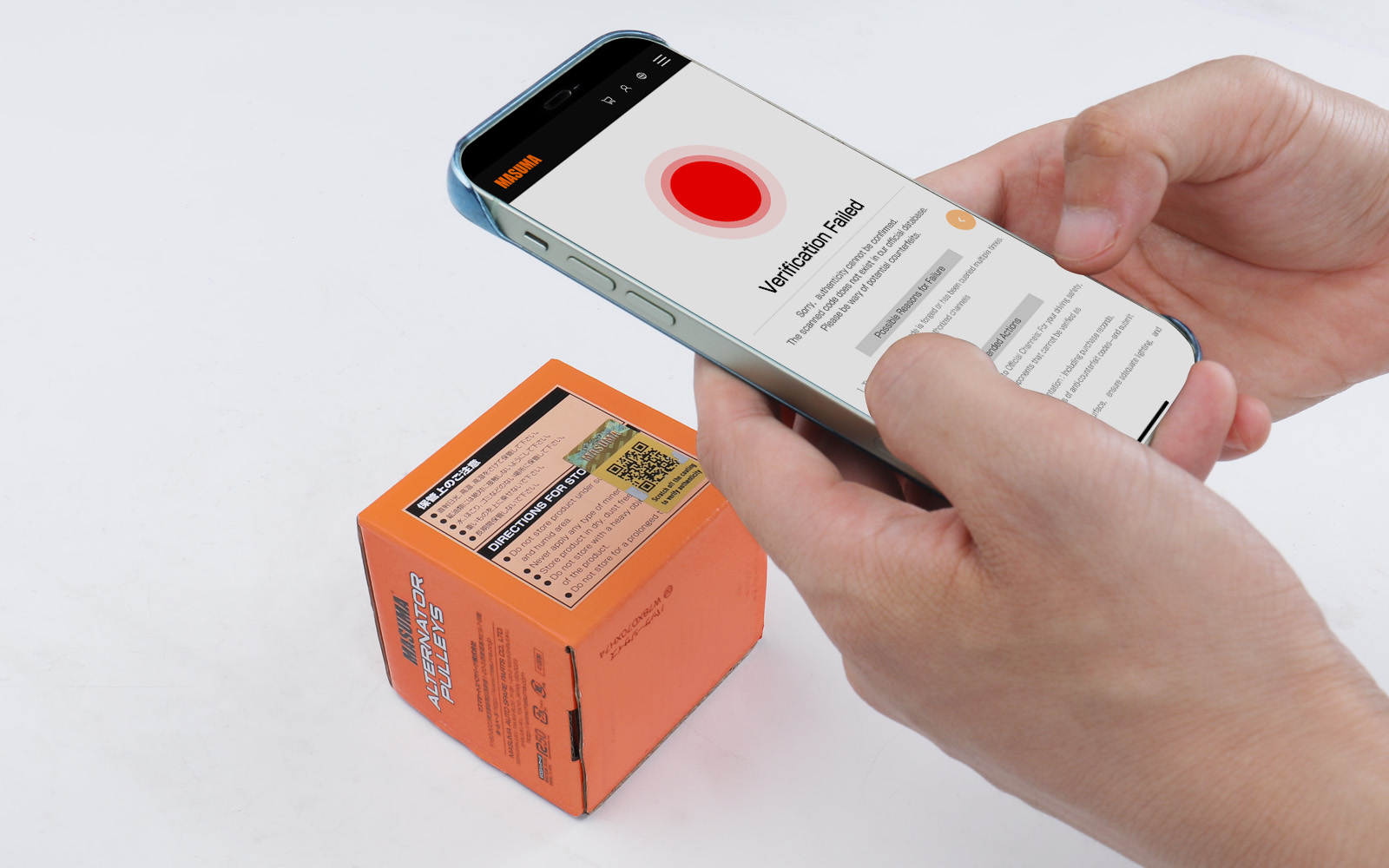
• If the scan result matches the third image above:
The anti-counterfeiting verification failed, and the product is highly suspected of being a counterfeit. Please stop using it immediately, retain your purchase proof, and report it to us through our official channels.
Important Notice:
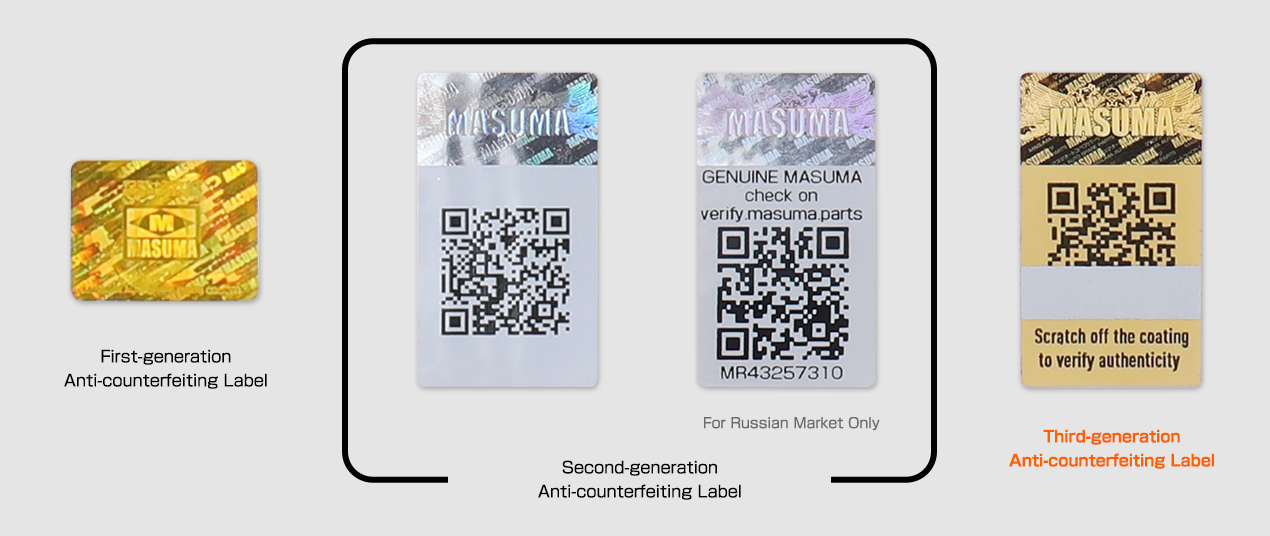
We are currently transitioning between our old and new packaging designs. As a result, four different styles of MASUMA anti-counterfeiting labels are currently circulating in the market. Please check and distinguish them carefully.
If you have any doubts or questions, please feel free to contact us.